
opCharts
Network Visualisation & Dashboards
Modern, dynamic, interactive charting and custom dashboards built on top of NMIS. Increases your network visibility, reduces organisational complexity, and accelerates root cause discovery, combining maps, charts, and data tables into a single pane of glass.
In The Product
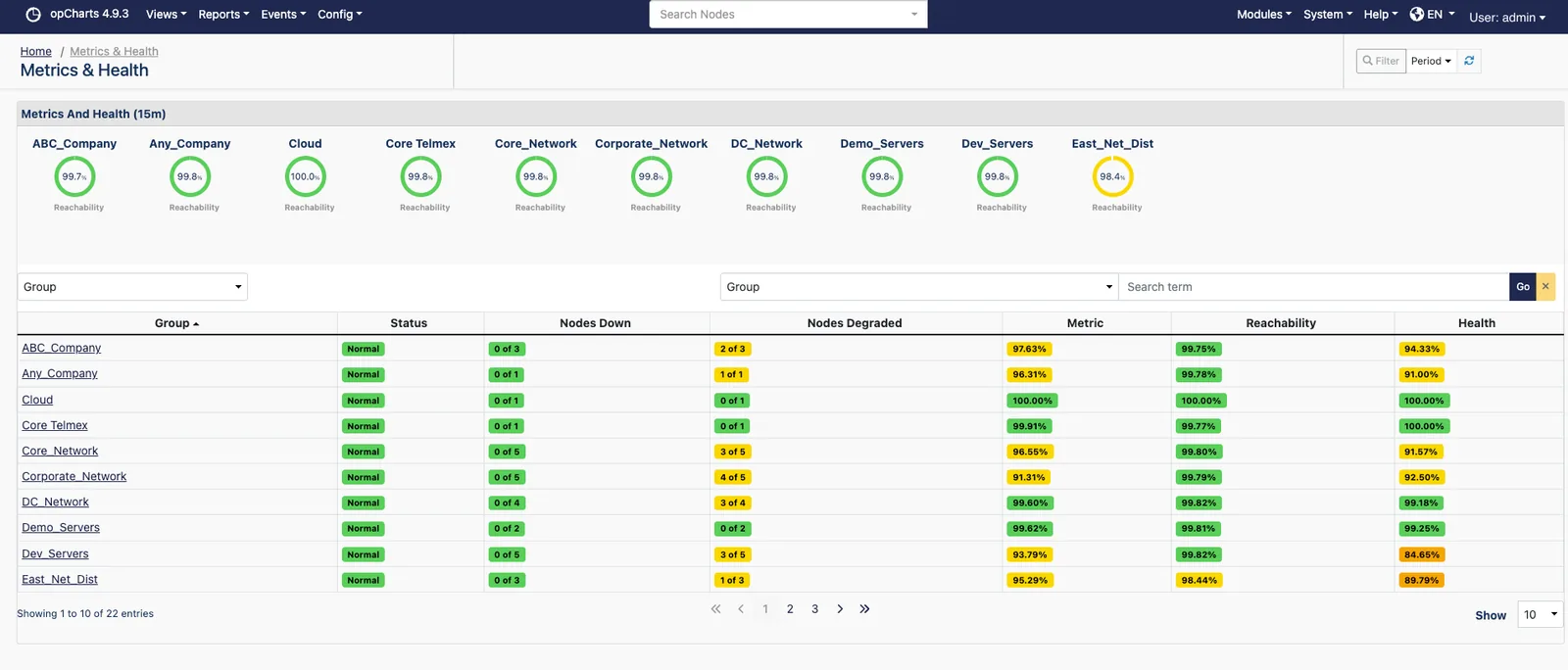
Every group's health on one screen
Architecture
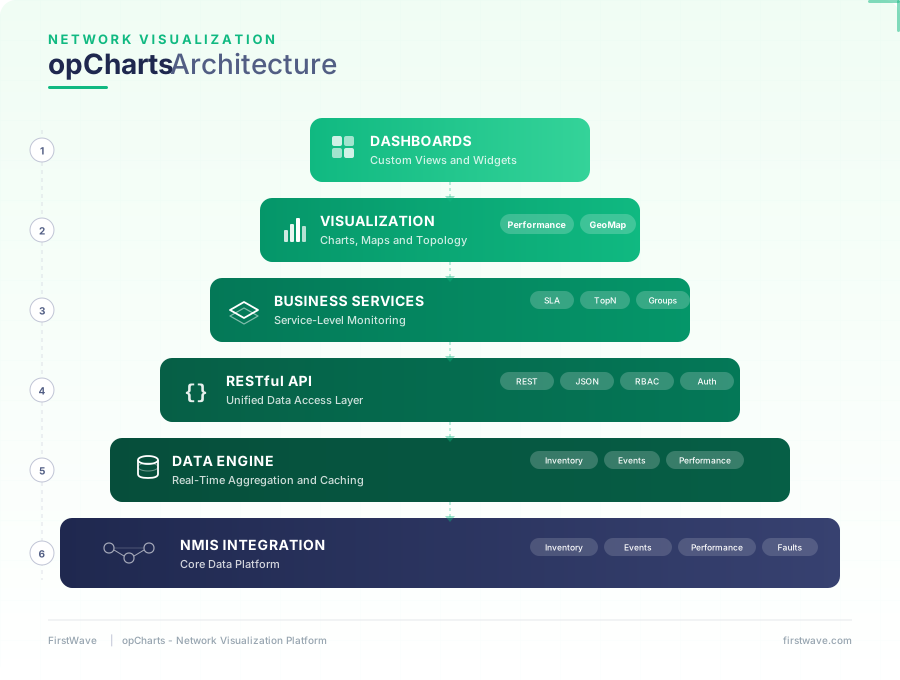
opCharts Architecture
Interactive dashboards and visualisation built on a RESTful API, feeding directly from the NMIS data engine.
Capabilities
Transform your NMIS data into visual intelligence
From real-time topology maps to executive dashboards, opCharts makes your network data actionable.
Custom Dashboards
Build and share dashboards tailored to your team's needs, from high-level executive views to detailed engineering displays. Combine charts, maps, tables, and widgets in a drag-and-drop interface.
Interactive Performance Charts
Drill down into traffic, CPU, memory, response time, and availability with flexible time ranges, from the last hour to a full year. Charts update dynamically with on-the-fly generation.
Live Network Maps
Auto-updating topology maps reflect real-time device status with colour-coded health indicators. Upload custom backgrounds and icons to match your physical network layout.
Geographical Views
Plot devices on a real-world map to see regional health at a glance. Ideal for distributed organisations and MSPs managing infrastructure across multiple locations.
Role-Based Access Control
Configure access for internal teams and external customers so each user sees only the devices and data relevant to their role. Perfect for MSPs providing client-facing portals.
RESTful API for All NMIS Data
Access every piece of NMIS data programmatically through opCharts' RESTful JSON API. Integrate with third-party tools, build custom applications, or feed data into external systems.
Business & Enterprise Services
Group related devices and interfaces into logical business services, then monitor their collective health. See at a glance whether your CRM, VoIP, or e-commerce platform is performing as expected.
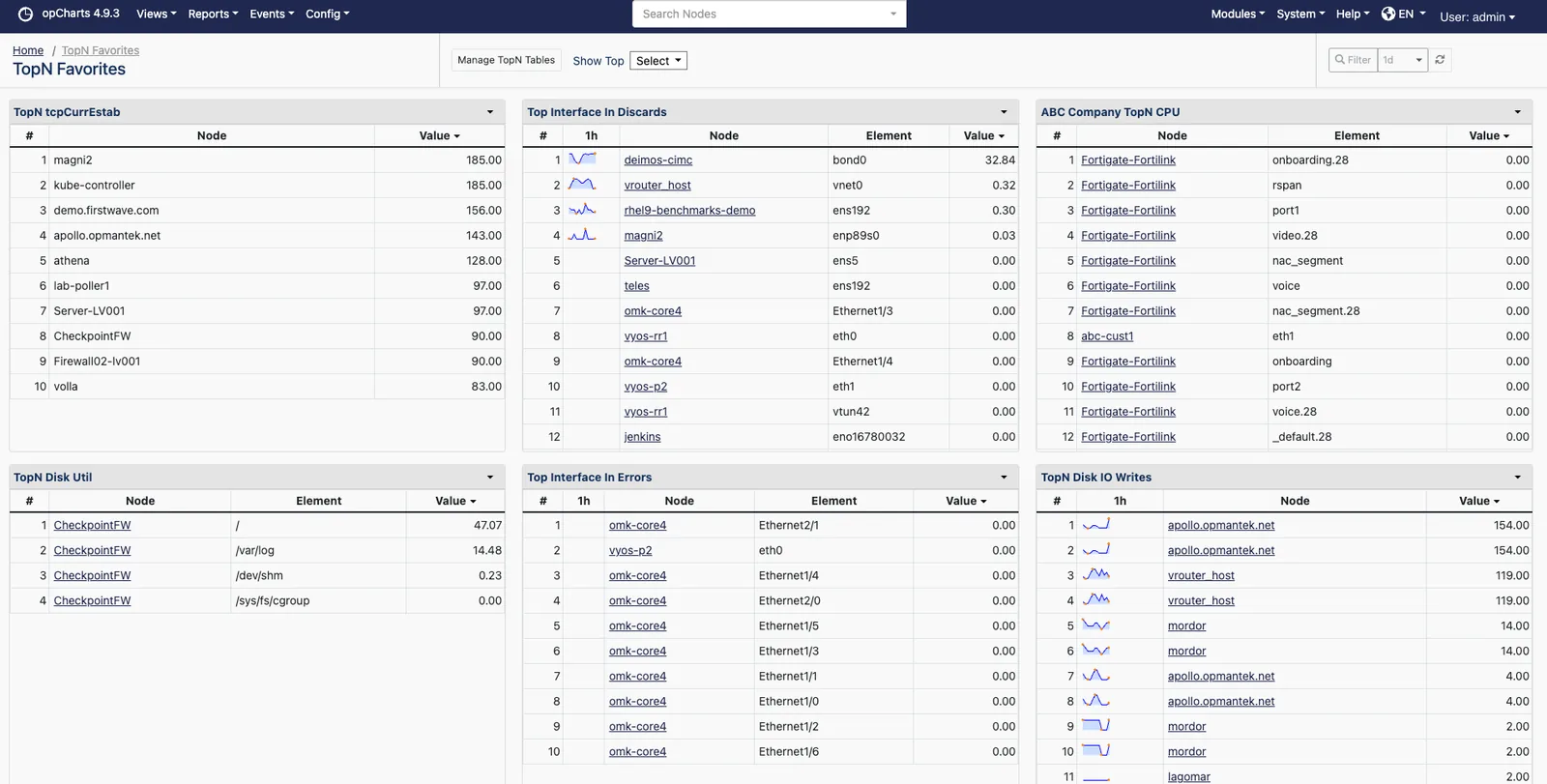
TopN Views & Reporting
Quickly identify your busiest interfaces, highest CPU devices, or worst-performing nodes with TopN tables. Filter by group, time range, and metric to surface what matters most.
The Views
Where the answer actually lives
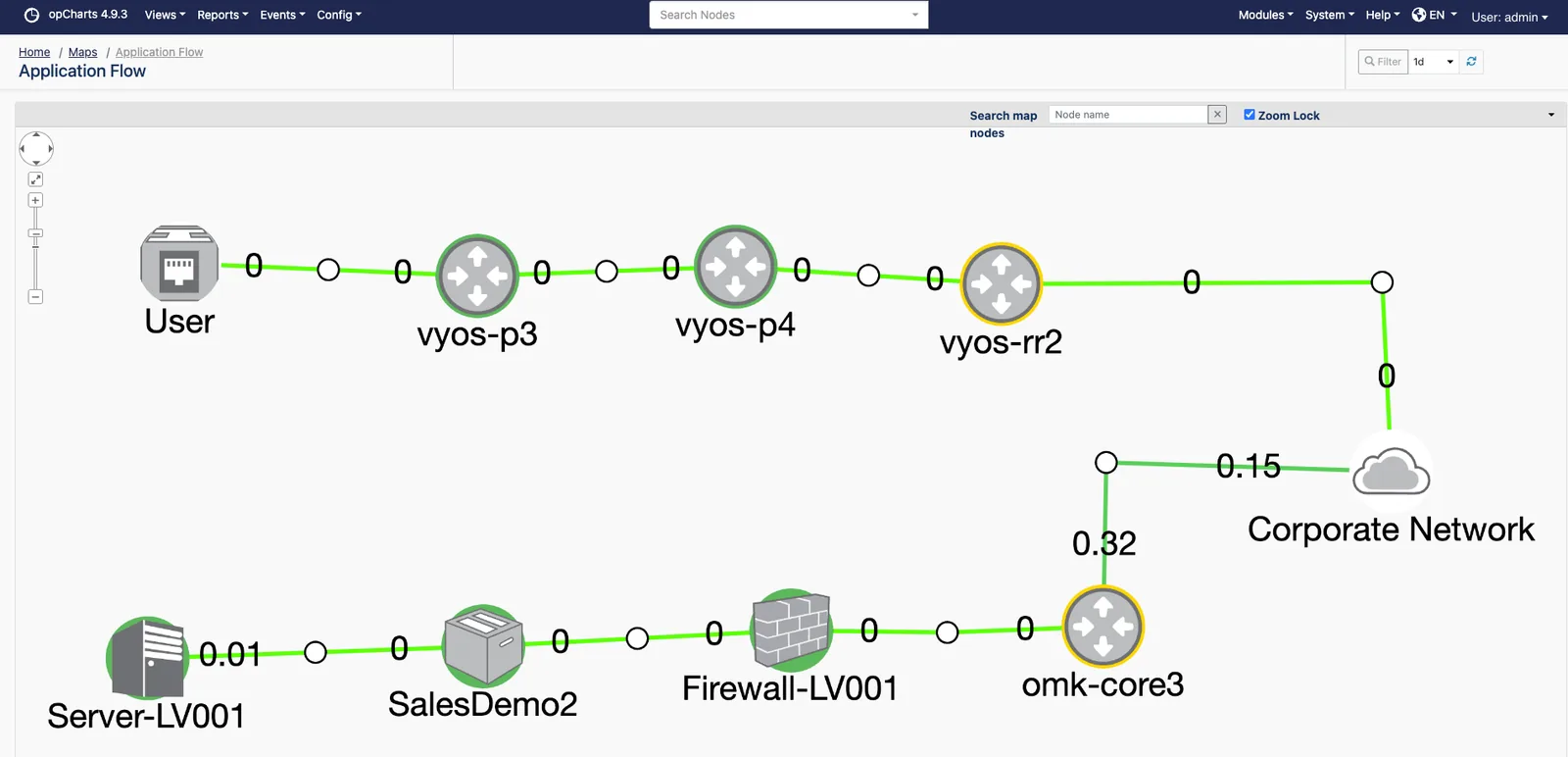
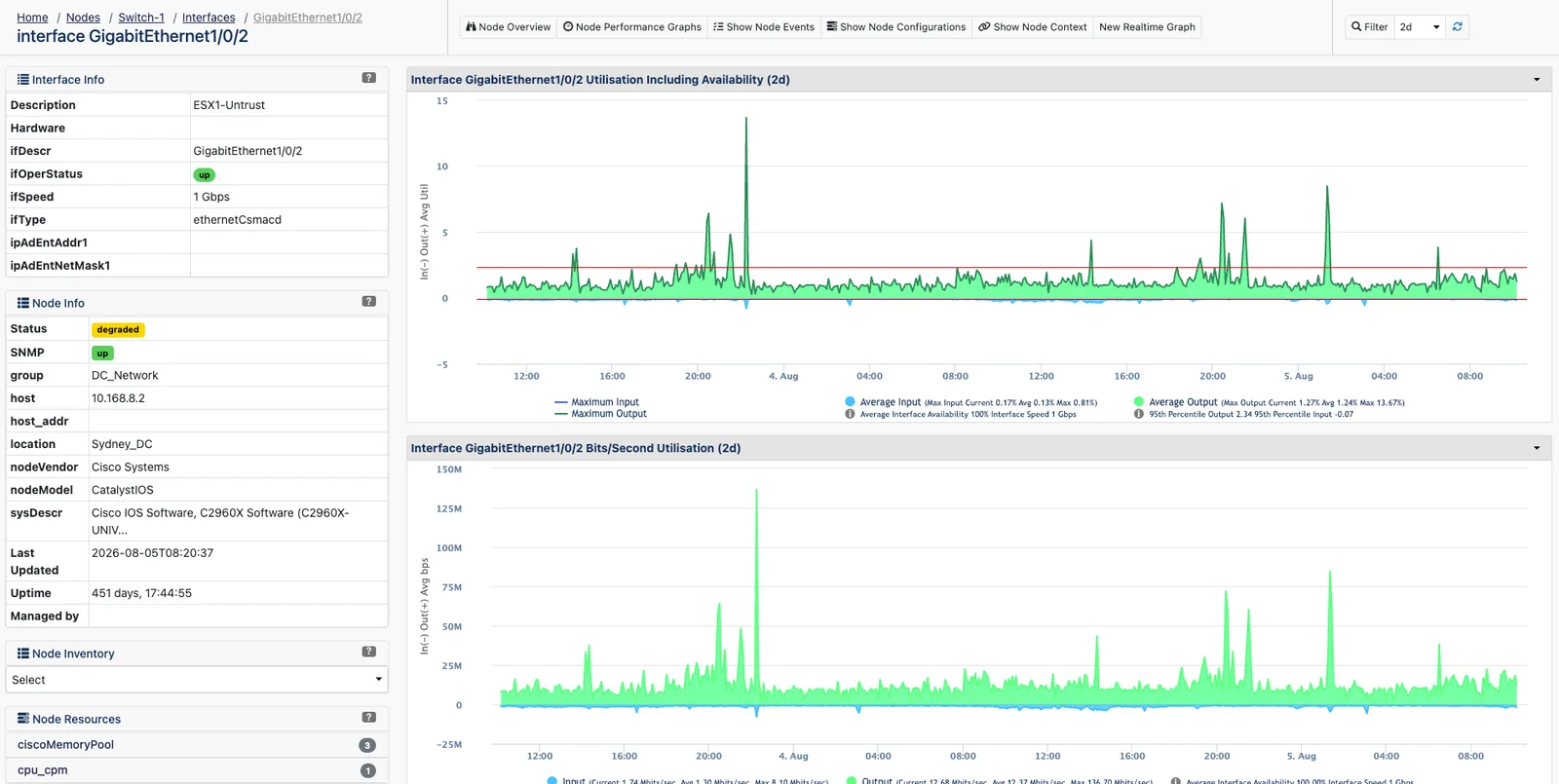
Three screens cover most of a working day: what the path looks like, what an interface is carrying, and what is at the top of the list.
NMIS Ecosystem
How opCharts integrates with NMIS
The professional visual layer for all data flowing through your NMIS deployment.
NMIS Data Foundation
opCharts sits directly on top of NMIS, providing a configurable and professional graphical interface for all the performance, fault, and inventory data that NMIS collects.
opEvents Integration
Display event status and correlation data alongside performance charts. Click from an event to the affected device's performance history for faster root cause analysis.
Custom NMIS Tables & Fields
Extend opCharts with custom NMIS tables and fields. Any custom data you collect in NMIS is automatically available for charting, dashboards, and API access.
Built For Your Team
Who uses opCharts
Wall-mounted situational awareness
Real-time maps and health indicators give operations staff immediate visibility across every monitored device and interface.
- Live auto-refreshing dashboards for NOC displays
- Colour-coded device health on topology maps
- Instant drill-down from map to chart
Clear KPIs without the complexity
Executive-level dashboards summarise network health into reachability, availability, and response time, no technical expertise required.
- Business service health at a glance
- Scheduled outage awareness built in
- TopN reporting for capacity conversations
Branded portals for every customer
Provide each customer with a role-restricted portal showing their network performance with MSP-specific configuration options.
- Per-tenant dashboard and map isolation
- Customer-branded performance views
- RESTful API for portal integration
See your network like never before
opCharts is included in the FirstWave VM alongside NMIS and other commercial opModules.
opCharts is a commercial module for NMIS.